We may earn a commission when you buy through our links, at no extra cost to you.
How to Choose The Best Action Cameras for Kayaking
Choosing an action camera for kayaking can be tricky. There’s a lot more to consider than simply waterproof capabilities. With water constantly splashing around and the high likelihood of submersion, you’ll need something that holds up in such wet and often chaotic conditions. But durability isn’t everything—you’ll want to capture stunning footage too. Whether you’re kayaking through serene lakes or crashing through rapids, here’s how you can find the right action camera that fits your needs.
Waterproofing and Durability
First thing to nail down is the camera’s ability to handle water. But don’t settle for basic water resistance—go for something that’s built for underwater performance. While most action cameras claim to be waterproof, not all are created equal. Some can only be submerged in shallow depths, while others can handle serious dives (even up to 40 meters). Take GoPro’s HERO line, for example: it’s known for its tough underwater capacity without a case, while others might need additional housing. A lot of cheaper models boast water resistance, but they’ll fail after just a few splashes. Check the depth rating and see if additional protective gear is needed—this can be a pain to deal with if you want something streamlined.
Image Quality and Stabilization
Kayaking, especially in rough waters, leads to constant movement. This is where image stabilization becomes critical. Many action cameras feature electronic image stabilization (EIS), but the quality can vary massively. Higher-end cameras tend to handle shakiness better, smoothing out the motion for more fluid footage. GoPro’s HyperSmooth is often praised for this. In contrast, budget cameras may have jittery video that can ruin the experience.
Image quality matters too, obviously. If you’re hoping to capture breathtaking landscapes or detailed wildlife footage, look for cameras with at least 4K resolution. But also remember that higher resolutions consume more battery and memory, so you’ll need to balance your priorities. Some kayakers recommend shooting in 1080p to extend battery life without sacrificing much in visual quality. Test out different modes and see what works for your style.
Mounting Options
You can’t hold a camera while paddling—well, you could but it wouldn’t end well—so mounts are essential. Whether you want a chest mount, helmet mount, or a setup on the kayak itself, make sure your camera is compatible with a variety of mounting systems. Versatility in mounting allows for different perspectives, which can turn your video from average to cinematic.
Some cameras come with proprietary mounts, which may limit flexibility. Others use standard mounts that work with third-party accessories. GoPro excels here, with a huge ecosystem of mounting accessories available, but even cheaper cameras may offer adaptable mounting options.
Battery Life and Charging
When you’re on the water, recharging might not be an option, so battery life becomes a huge factor. Most action cameras last anywhere from 60 to 120 minutes per charge when recording in high resolution. This can be reduced if you’re recording in colder environments, where batteries drain faster. Swappable batteries are ideal, so you can pack extras if you plan on a long trip. USB charging is also convenient, as it allows for easy recharging through portable power banks. Some kayakers opt for solar chargers, but these are slower and unreliable in cloudy conditions.
A tip that many seasoned kayakers suggest is to use short bursts of recording rather than leaving the camera running continuously. This saves battery while ensuring you still get the highlights of your trip.
Field of View and Lens Options
You’re going to want a wide field of view (FOV) when kayaking, capturing as much of the surroundings as possible. Many action cameras offer adjustable FOV settings, which is useful when you want to switch between a wide-angle view for landscapes and a narrower focus for detailed shots. Consider cameras that allow distortion correction as well, so your footage doesn’t have that “fish-eye” effect unless that’s what you’re going for.
Some cameras also offer different lens options, like standard, wide, and ultra-wide, giving you control over how much of the scene is captured. A wide-angle lens is excellent for sweeping river views or expansive ocean shots, but if you’re focusing on a specific subject, you might want a more focused lens.
Usability and Control
While kayaking, you probably won’t have the luxury of fiddling with tiny buttons or complicated menus. Cameras with simple controls, or better yet, voice control, make life a lot easier. GoPro’s voice commands, for example, allow you to start recording, take photos, or stop the video without using your hands. Other cameras may offer mobile apps that let you control the camera remotely, but keep in mind that Bluetooth and Wi-Fi can drain the battery faster.
Some users prefer a camera with large, easy-to-press buttons that can be operated even when wearing gloves. It’s also worth checking how easy it is to switch between shooting modes, especially when you’re mid-paddle.
Memory Capacity
High-quality video files, especially in 4K, consume a lot of storage. Most action cameras use microSD cards, but the size of the card they can support differs. Look for cameras that support cards of at least 128GB, and consider how easy it is to swap cards on the go. You don’t want to be fumbling with a memory card while trying to keep your kayak steady.
Also, keep in mind that some cameras require specific speed ratings for memory cards, especially for recording 4K video. A slow card can result in choppy or dropped footage, which can be frustrating after a full day of shooting.
Weatherproofing Beyond Just Waterproofing
Saltwater can be especially harsh on electronics, so if you’re kayaking in the ocean, choose a camera with good corrosion resistance or use additional protective housing. A camera that’s waterproof but not rated for dust or sand might still fail if it’s exposed to beach conditions. Look for cameras with good weather sealing for the full range of conditions you might face.
Audio Recording
Wind and water can ruin audio when you’re out kayaking, but some action cameras feature wind noise reduction or external mic compatibility. Built-in microphones often fall short in extreme conditions, so if capturing quality audio is important to you, invest in a camera with good wind reduction technology or the option to connect an external microphone.
Price and Value
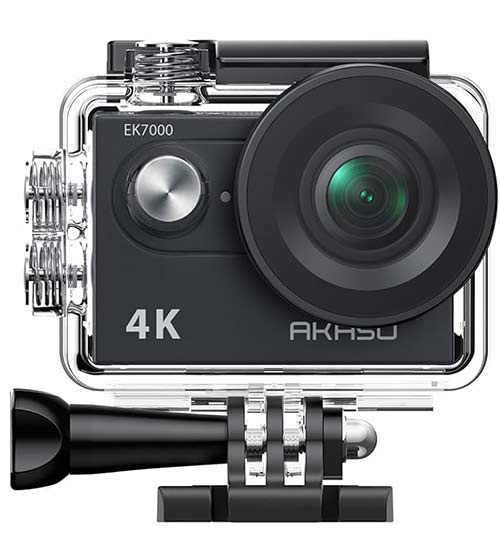
It’s easy to get caught up in the high-end market, but not every kayaker needs a $400+ camera. There are excellent mid-range options that offer solid performance at a fraction of the cost. Budget models like the Akaso Brave or Victure AC920 give solid results, though they may lack the polish of more premium brands.
Balancing cost with features is key. If kayaking is something you do occasionally, you might not need a top-of-the-line model. However, if you’re serious about capturing your adventures, it’s worth investing in a model that can withstand the conditions and provide the quality you want.
Extra Features and Accessories
Last but not least, look for extra features that might be important for you, like GPS, which logs your location during recording, or even live streaming capabilities. Some cameras also offer time-lapse, burst mode, or even 360-degree recording, allowing you to get creative with how you capture your kayaking journey.
In conclusion, the right action camera for kayaking will depend on your specific needs and the conditions you paddle in. Prioritize durability and waterproofing above all, but don’t forget about factors like image stabilization, battery life, and mounting options. Finding the perfect balance between price and features will help you capture every exciting moment on the water, without the headache of dealing with a camera that can’t keep up.




 Best 5 Waterproof Phone Cases for Kayaking
 Best 5 Kayak Anchor and Push Poles
 Best 6 Kayak Paddles Under $200